Capture it while it happens.
Keep signs, GPS photos, notes and inspections with the closure. Spend less time assembling the story after the shift.
Digital Traffic Control Diary · by PurposeBuilt Systems
Plan the closure. Capture what your crew installs. Turn the field record into daily diaries, inspection records and invoice backup—without rebuilding the job from scattered photos and notes.
Already using DTCD? Open your dashboard → · Get the app →
Make the field work count
Keep signs, GPS photos, notes and inspections with the closure. Spend less time assembling the story after the shift.
Build diaries and invoice line items from closure data, with the field documentation available when a pay item is questioned.
Review consistent closure records and inspection evidence. Share structured work-zone information with downstream systems.
See DTCD in action
Watch the iOS demonstration to see the field workflow. Then open the sample diary and invoice to judge the deliverables for yourself.
See the sample reports ↓Video demonstrates the mobile app. Web planning and field verification are explained below.
One connected workflow
The dashboard handles planning and shared review. The mobile app handles field capture. The reports put the record to work.
Mark the work area or import a survey alignment. Plan Studio drafts the closure and device layout, with checks and site details available for review.
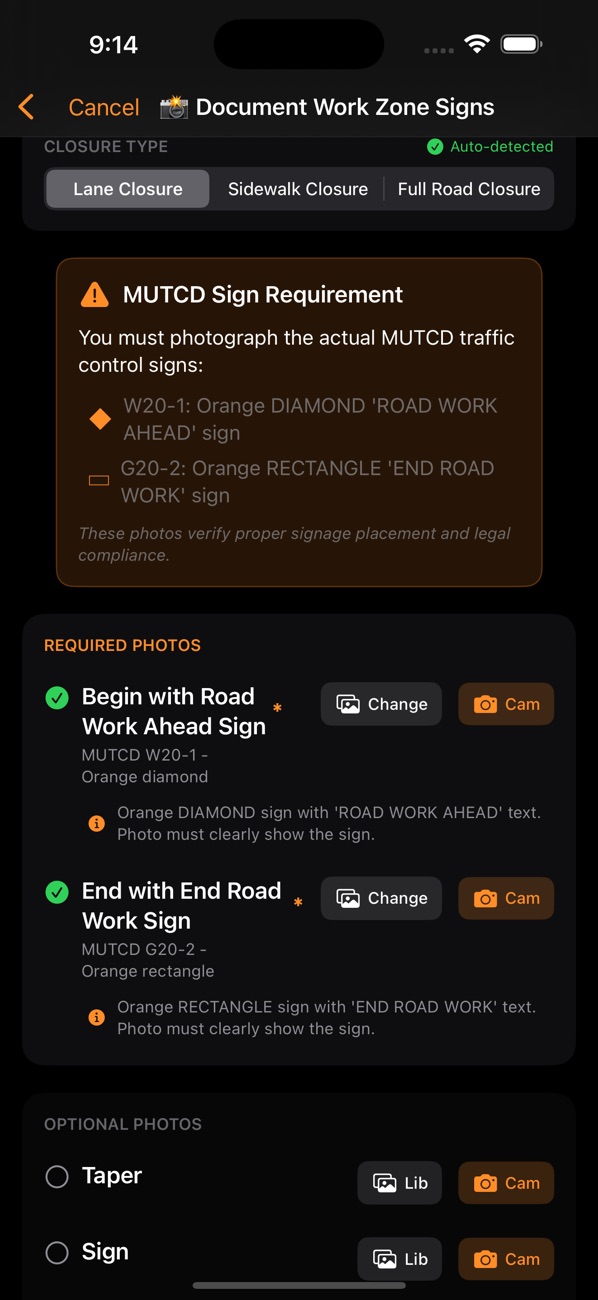
See Plan Studio · paid access →Send a saved field revision to the dashboard map. Record actual device placement and site verification; use AI-assisted sign capture in the mobile app, then verify the signs, photos, inspections and changes you record.
Open the field map →Review the closure data and generate diaries and invoice backup. Work-zone feeds make published closure information available to agencies and connected systems.
View the deliverables →Planning and AI capture assist your team. Verify site conditions and captured information; required engineering review, approval and field checks remain part of the job.
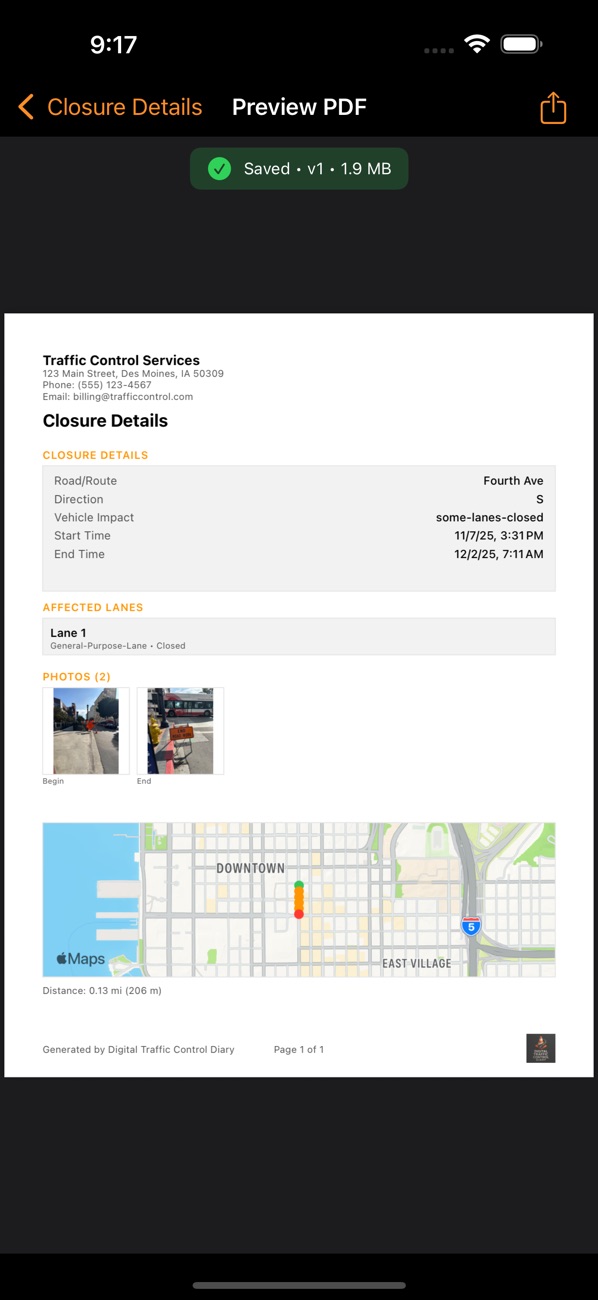
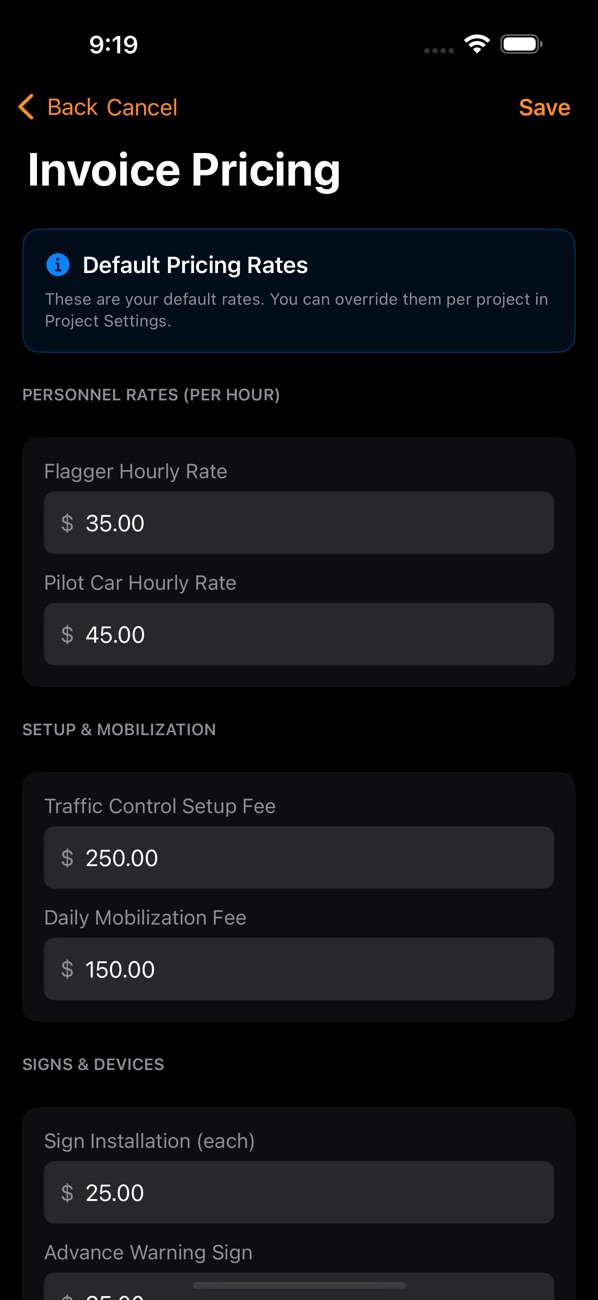
Screenshots from the published iOS app. Tap a screen to enlarge it.
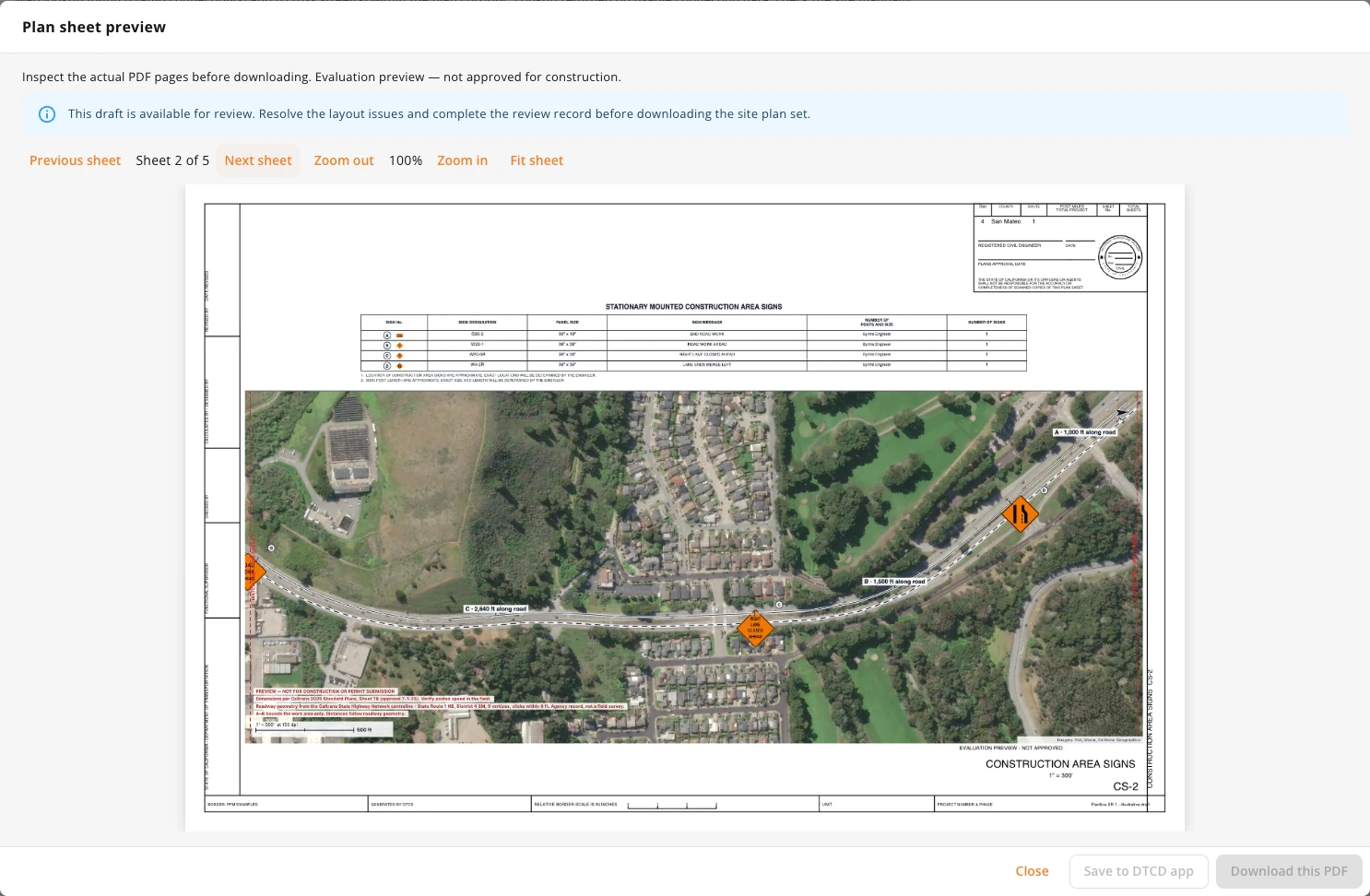
Mark the work area. Build a starting traffic-control layout. Preview satellite-backed sheets with road-following dimensions before you export.
Included with qualifying paid dashboard plans, assigned App Seats and active mobile Pro subscriptions. Drafts still need site verification and the required professional review.
Judge the deliverables
Open the actual sample PDFs. See the information, layout and detail before introducing DTCD to your crew.
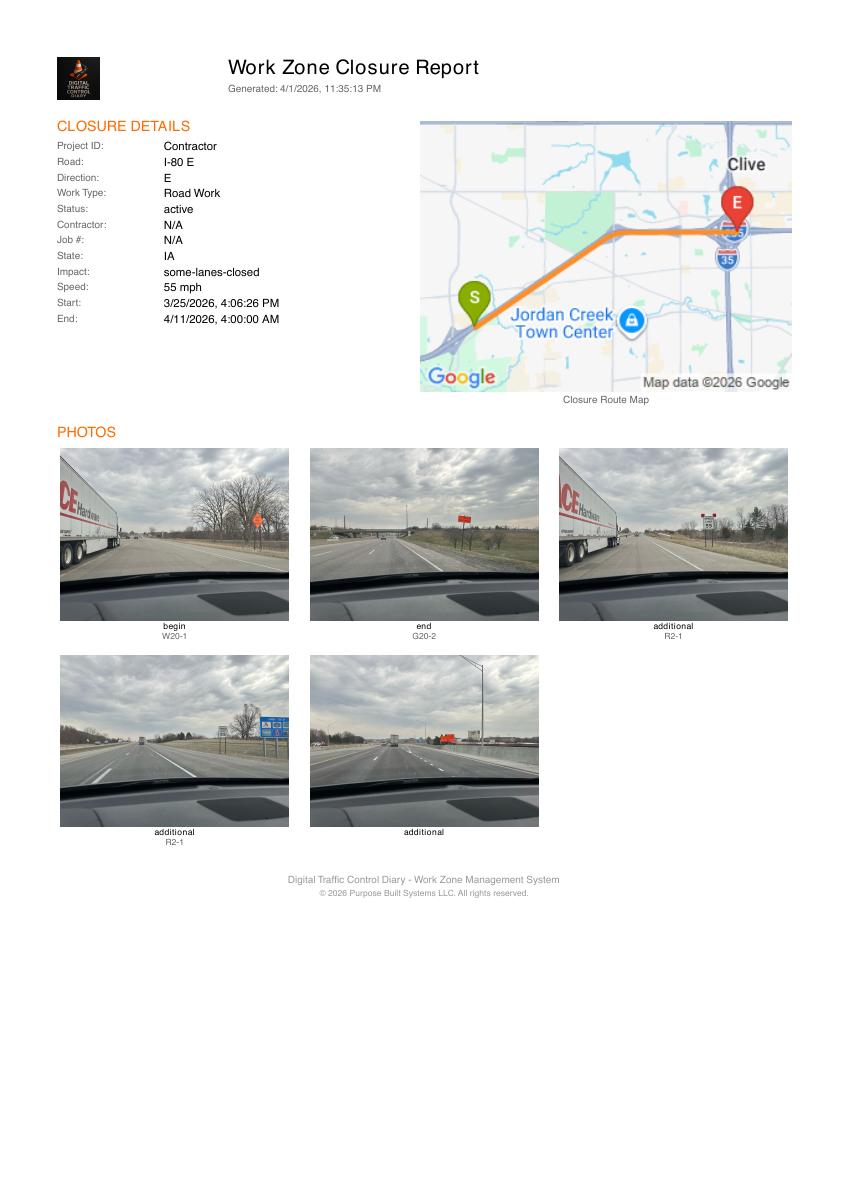
Closure details, a mapped route and captured photos in a document your team can review and share.
Open sample diary (PDF) ↗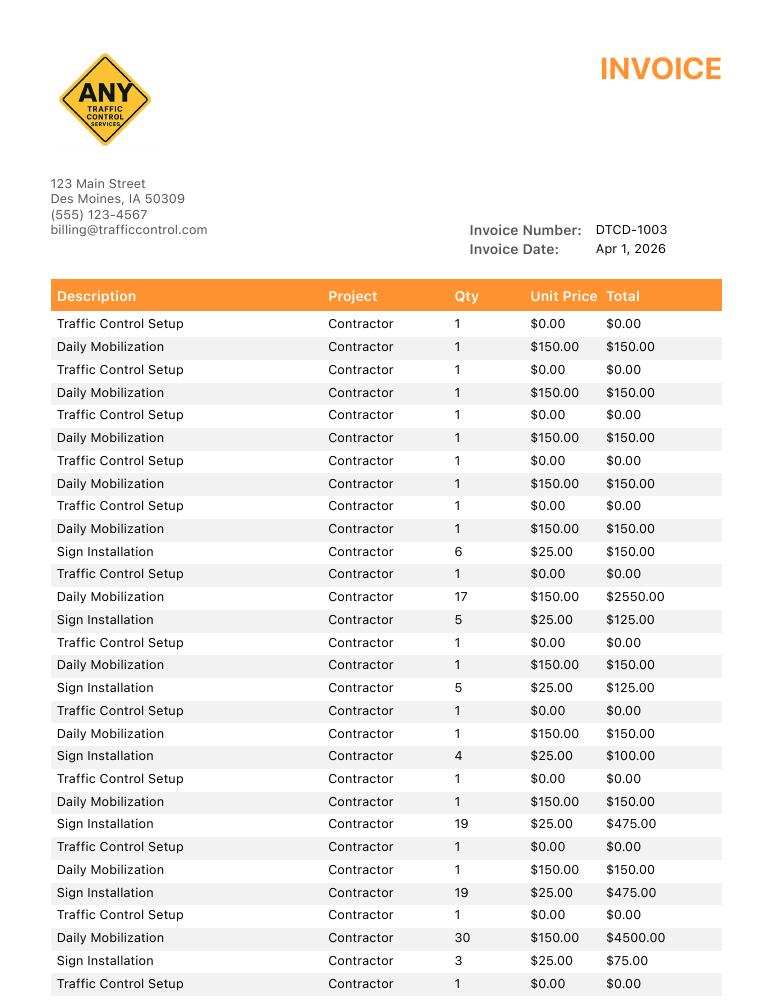
Project-linked quantities and line items. Review your rates and totals, then share the invoice with its supporting diary.
Open sample invoice (PDF) ↗Published WZDx and CWZ feeds provide structured closure information for agency, 511 and platform integrations. Receiving systems decide how they ingest and display it.
Start here
Open closures, Plan Studio, the field map and shared records in your browser. Existing users can sign in here.
Open DTCD dashboard →Go straight to Plan Studio →Download DTCD for signs, GPS photos, inspections and closure documentation in the field.
iPhone & iPad · App Store ↗Android · Google Play ↗Start with one crew and one job. Get help setting up the workflow, then judge it by the records your team produces.
Start a project pilot →See plans and pricing →Questions before you start
A practical workflow for contractors, reviewers and agencies—with clear handoffs between them.
Explore DTCD for agencies →Use the dashboard for planning, the field map and shared review. Use the mobile app for capture on site. They serve different parts of the closure workflow; a planning draft still needs to be saved as a field revision before placement can be recorded on the field map.
The mobile app supports offline documentation and retries syncing saved closures when connectivity returns. Online maps, roadway lookups and sharing need a connection.
Plan Studio supports survey-alignment imports including KML, GeoJSON, CSV, DXF and LandXML. Check coordinates and road geometry after import before using the draft.
No. Plan Studio helps prepare and check a draft. Your team must verify the road, inputs and setup and obtain the engineering review and agency approvals required for the project.
Use the state documentation reference and confirm the applicable project specifications and agency format. Coverage and available roadway data vary; review the final plan and report for the job.
Start with one closure in the mobile app, capture its devices and photos, and review the resulting diary. You can introduce the planning workflow as your team needs it. Download the free diary template to see the information a daily record needs.
Built by PurposeBuilt
Founded by Matthew Miller, CPM. An Iowa-based, SBA-certified Service-Disabled Veteran-Owned Small Business building tools for transportation and field operations.
Meet the company →Documentation research
Our review of 105 published judicial matters examines how work-zone conditions and documentation appear in disputes. The methodology and limitations are available to read.
Read the research →Featured in 2026 comparisons
Sigmadax: ranked #1 ↗
Gitnux: ranked #7 ↗
September 2026 publisher rankings. See each article for its criteria and affiliate disclosures.
Connected tools & useful resources
Bridge clearance research → · From the field: articles and updates → · Founding contractor program →
Your next closure is a good place to start
One crew. One project. Real field work. Get help from the person who built DTCD.